

Taking Payments
Take payment on an open cart collects money against the amount due. A sale can be paid in one tender or several, and it completes itself the moment the balance reaches zero.
Payment methods
Section titled “Payment methods”Your tender list is yours to define under Settings → Sales & Payments → Payment Methods. Each method has a name and a behavior that tells the register how to treat it:
- Cash — asks what was tendered and computes change. A method can carry a rounding step (for currencies or house policies that round cash totals).
- Card — charges through a connected processor, or records a card taken some other way.
- Digital — records Venmo, CashApp, Zelle, and the like. REV23 tracks the tender; the money moves in the other app.
- Bank Transfer — records ACH, EFT, wire, or SEPA transfers. Like Digital, REV23 tracks the tender while the money moves at the bank — but it reports as its own category instead of folding into Digital totals.
- Gift Card — redeems a gift card by code, with partial redemption and balance checks built in.
- Other — anything else you want on the books.
Deactivating a method removes it from the register without touching past sales.
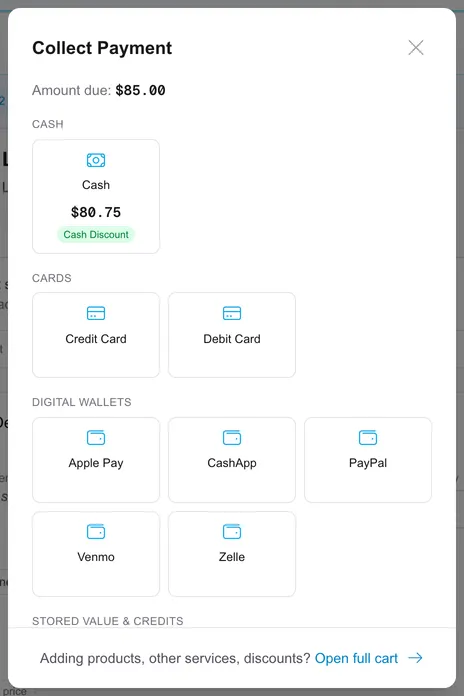
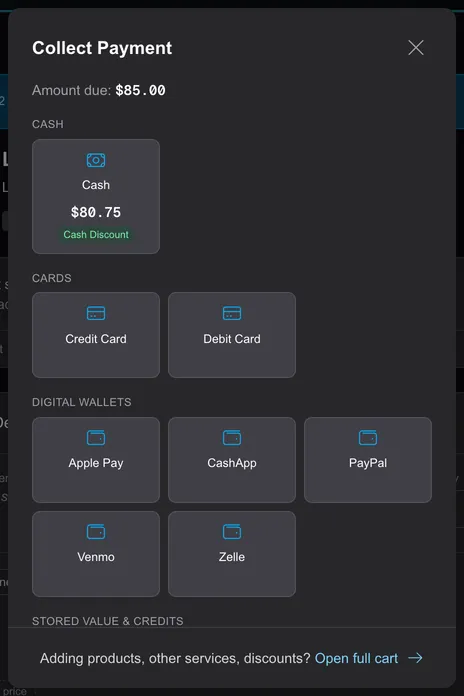
The tender choices show each method with anything a checkout rule would do to the total — a cash discount reads its discounted total right on the tile, a card fee shows as a fee, so the decision is priced before anyone commits:
Cash and change
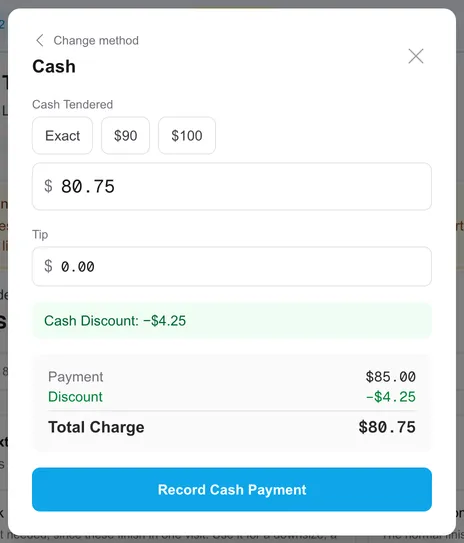
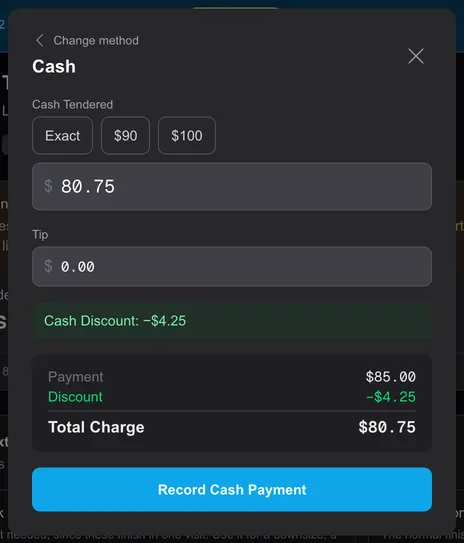
Section titled “Cash and change”Cash entry offers Exact plus round-bill amounts, computes Change from what was tendered, and offers Apply as tip to fold the change into the tip instead of the drawer. Change and any rounding are recorded on the payment so Close of Day reconciles to the penny.
Partial payments and split tender
Section titled “Partial payments and split tender”Enter less than the amount due and the balance stays open for the next tender — split however the customer wants to pay. Two pricing rules interact with splitting:
- A payment-method discount (a cash discount from a checkout rule) only applies when the whole sale settles on one tender of the rule’s accepted method. Splitting $5 cash + $95 card forfeits it — and so does splitting across two separate cash payments.
- A payment-method surcharge applies to every qualifying payment, full or partial.
Tips and surcharges at the register
Section titled “Tips and surcharges at the register”Tip presets and behavior are covered on the Tipping page. Tips ride on the payment, never get taxed, and flow to the artist through payroll.
Surcharges come in two shapes, and they read differently on the sale:
- A line surcharge from a checkout rule (a minor fee, a premium-service upcharge) sits on the item and is taxed like the item.
- A card surcharge sits on the payment. When a connected processor is charging the card, the processor applies its own surcharge and REV23’s rule stays out of the way — the card is never surcharged twice. Manual card tenders use your rule.
Deposits on a cart
Section titled “Deposits on a cart”Selling a deposit is a Deposit line: an amount, an optional description, and the artist it’s for. When the sale completes, the deposit becomes a credit on the customer’s file, linked to its booking if it has one. Three rules protect deposit money:
- A deposit can’t be paid using an existing credit or deposit — it’s new money in, collected with a real tender.
- Deposit-only sales never take a tip — the tip belongs with the service when it’s performed.
- When a deposit is handed to the artist in person (cash, digital, or bank transfer — one artist on the cart), the payment can record Held by that artist instead of the studio. Reports and payroll settlement follow whoever holds the money, so the stamp should match what physically happened. It can be corrected on the payment until the deposit is refunded or its credit gets used — after that, the record of who held it is frozen history.
Collecting a deposit that holds a booking usually starts from the booking itself — see Booking Deposits.
Customer reimbursements
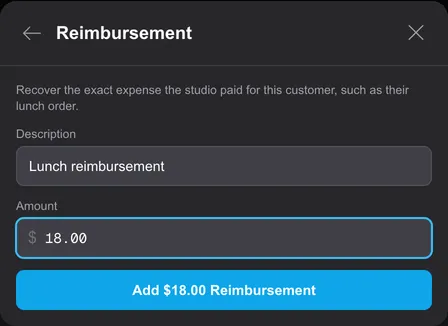
Section titled “Customer reimbursements”Use Add Item → More → Reimbursement to collect repayment of an expense the studio paid for the customer. For example, if you paid $18 for their lunch, enter a Description and an Amount of $18. This is repayment from the customer; reimbursements paid to an employee belong in payroll adjustments.
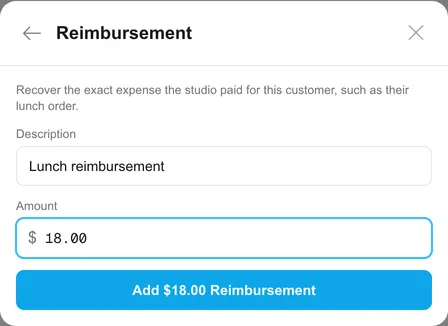
A reimbursement must have a positive amount and quantity one. It has no sales tax, seller, or commission. Discounts and checkout-rule surcharges do not change it, and it is excluded from suggested-tip calculations. If the expense or description is wrong on an open cart, remove the line and add it again.
The repayment appears as a line on the receipt and can be refunded by item. Revenue and Close of Day list Reimbursements separately, net of refunds, because recovering an expense does not add sales revenue.
Completing
Section titled “Completing”A sale completes when the amount due hits zero — a payment or applied credit that settles the balance completes it on the spot, matching how a register should feel. Completion is also the moment the books get written: commissions post, deposit lines become credits, and — when the sale has a customer with an email on file — the receipt goes out. A walk-in with no customer sends nothing; attach one and use Send receipt if they want it.
Two cases wait for an explicit Complete: a no-charge sale (lines on the cart, everything discounted or priced to zero — no payment ever fires, so nothing triggers completion), and a partially-paid cart whose balance reached zero through a later edit, like removing a line or adding a discount. An empty cart isn’t a sale — it offers Add an item instead. Completion refuses a cart that’s over-tendered as firmly as one that’s underpaid — the numbers have to land exactly.
If sessions on the sale belong to services that are still open, completing asks whether to mark those services complete too.
Voiding
Section titled “Voiding”Void abandons an open sale. Any payments already taken reverse, gift card balances restore, applied credits go back to the customer’s file, and the sessions are freed for a new sale — a void with money on it asks you to type VOID to confirm. A single payment on an open cart can also be voided on its own (a plain confirm, no typing), putting the amount back into the balance due.
A completed sale can’t be voided. To reverse it, issue a refund.